
This article explains how slow website loading affects user experience, why it does not always lead to customer loss, and how clear loading messages can reduce perceived waiting time. It also discusses recent research and practical ways to improve website performance and user experience.
Website speed is important. A slow website can frustrate visitors, delay important actions and affect conversions. But does every website with a low PageSpeed score automatically lose customers?
I wouldn’t make that assumption.
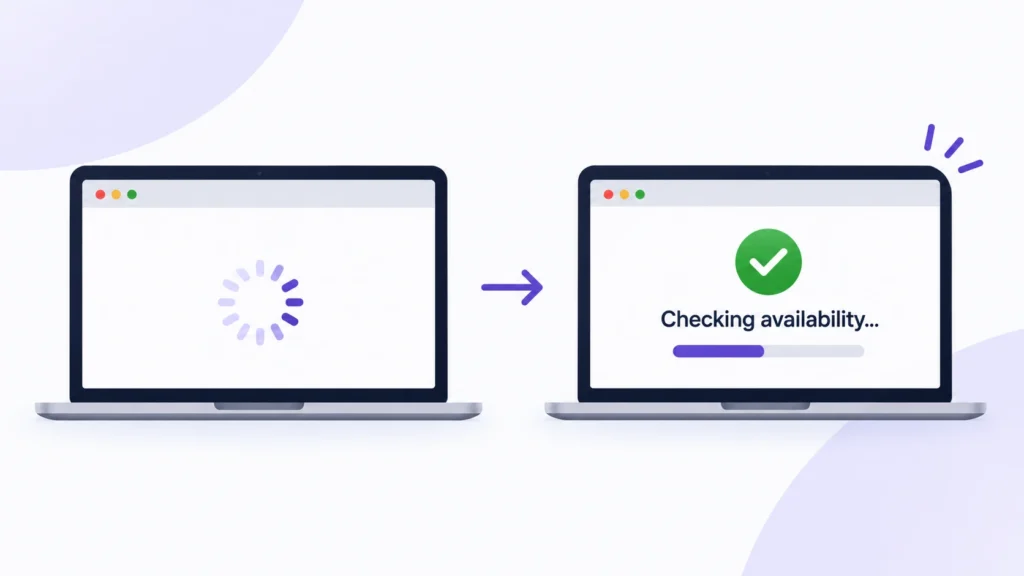
Imagine a customer booking a hotel online. They select their dates and click the availability button. The website takes a few seconds to respond.
Instead of showing a blank screen, it displays:
Checking availability for your selected dates…
The customer knows the request has been received. They understand what the website is doing and have a reason to wait.
Now imagine the same situation without any feedback. The customer clicks the button, but nothing happens. They don’t know whether the website is working or whether their request was received.
The actual waiting time is identical, but the experience is different.
This raises an important question: Should website performance be judged only by how quickly a page loads, or should we also consider how the website communicates with visitors while they wait?
The answer involves two different concepts: actual performance and perceived performance.
Actual website performance vs perceived performance
These two concepts are connected, but they measure different things.
Actual performance describes how quickly a website loads content and responds to user interactions.
For example:
- How quickly the main content appears.
- How quickly the website responds when someone clicks a button.
- Whether the page layout shifts while loading.
- How long the server takes to respond.
Perceived performance describes how users experience the waiting process.
For example:
- Whether the website provides immediate feedback after a click.
- Whether users know what is happening.
- Whether a loading indicator makes a wait feel shorter.
- Whether the website gives users confidence that their request is being processed.
A website can have poor technical performance but still communicate clearly during a loading process.
Likewise, a technically fast website can provide a frustrating experience if its buttons don’t respond or its interactions are confusing.
This doesn’t mean perceived performance can replace technical optimisation. It means both deserve attention.
What recent research says about website loading animations
A 2025 research paper published in the Journal of Theoretical and Applied Electronic Commerce Research examined how loading animations influence perceived waiting time.
The study was titled Website Loading Animation and Perceived Waiting Time: The Role of Temporal Attention.
Researchers Bin Wang, Kai Si, Hussain Ali and Jiao Feng conducted four online experiments involving 1,409 participants.
They compared static loading indicators with dynamic animations.
The results showed that participants who viewed dynamic animations perceived waiting times as shorter than those who viewed static indicators, even when the actual waiting duration was controlled.
However, the effect depended on the task.
Dynamic animations had a stronger effect when participants had lower task involvement or were browsing for enjoyment. The effect was weaker when participants were highly involved in completing a task.
What can we learn from this?
A loading animation can influence how users perceive waiting time. But it doesn’t necessarily make the website faster or guarantee that more customers will complete a purchase.
The research supports improving the waiting experience, not using animations as a replacement for performance optimisation.
Loading screens can influence the waiting experience
Another relevant study was published in Displays in July 2021.
The research, The Effect of Mobile Applications’ Initial Loading Pages on Users’ Mental State and Behavior, was conducted by Yuzhen Wang, Yanqun Huang, Jutao Li and Jie Zhang.
The researchers examined four types of loading screens commonly used in mobile applications:
- A blank screen.
- A circular loading indicator.
- A brand logo.
- A brand logo combined with a slogan.
The findings indicated that branded loading screens provided a better waiting experience than blank screens or simple circular indicators on several measured outcomes.
Participants also showed a preference for combining a logo with a slogan.
There is an important limitation: this study focused on mobile application opening screens, not every type of website interaction.
Still, it provides useful evidence that what users see during a loading process can influence their experience.
For a business website, this means a loading screen should communicate something useful rather than simply displaying an endless spinning icon.
Why a loading message can be more useful than a blank screen
Consider a few everyday website interactions.
Online booking
A customer selects a date and searches for available rooms.
Instead of displaying a blank screen:
“Checking room availability for your selected dates…”
The message explains what the website is doing.
Payment processing
A customer clicks the payment button.
“Processing your payment. Please don’t refresh this page.”
This confirms that the request is being processed and discourages repeated submissions.
Service enquiry form
A visitor submits an enquiry.
“Submitting your enquiry…”
After successful submission:
“Your enquiry has been received. Our team will contact you shortly.”
The confirmation is just as important as the loading message. It tells the visitor that the action was completed successfully.
Search results
A user searches for a product or service.
“Finding relevant results…”
A skeleton screen can also display the expected layout while the actual results are being fetched.
In each situation, the website communicates with the visitor instead of leaving them uncertain.
However, these messages should reflect what the system is actually doing. Showing a fake verification message or misleading progress percentage is not good UX.
Does a slow website really affect conversions?
Yes. And this is where we need to be careful.
The fact that users can tolerate some waiting does not mean website speed has no commercial impact.
A 2023 report by Boston Consulting Group and Shopify, Leading Online Shoppers to the Finish Line, analysed more than 220,000 e-commerce websites and over one billion data points.
The research examined several factors influencing online shopping and conversion.
Some relevant findings included:
- Improved website performance was associated with higher conversion rates across most industries.
- Customers could tolerate slight performance delays during checkout, but only to a point.
- Completing the full checkout process in less than 90 seconds was associated with better lower-funnel conversion.
- Their model estimated that each additional second of Time to First Byte was associated with approximately 0.14% lower overall conversion on average.
The 90-second figure refers to the complete checkout process, not a single page loading time.
Also, the reported relationships should not be interpreted as proof that every additional second causes the same conversion loss on every website.
What does this mean?
Website performance matters commercially. But its impact needs to be evaluated in context.
A customer waiting for valuable search results may behave differently from someone waiting for a payment confirmation.
A person who has already selected a product may behave differently from someone casually browsing.
The purpose of the interaction, the customer’s expectations and the quality of the overall experience all matter.
A loading animation can improve the waiting experience, but it cannot compensate for an excessively slow checkout, a broken payment process or an unresponsive website.
A low PageSpeed score doesn't automatically mean lost customers
This is an important distinction when conducting an SEO audit.
PageSpeed Insights uses both laboratory data and real-user data when available.
Laboratory data is generated using Lighthouse in a controlled testing environment. It helps identify technical problems and provides recommendations.
Field data comes from real user experiences collected through the Chrome User Experience Report (CrUX).
These measurements answer different questions.
For example, a website might receive a low Lighthouse performance score because of heavy JavaScript, large images or render-blocking resources.
That score identifies areas that need attention. But it does not directly tell us how many customers the business has lost.
Similarly, a good PageSpeed score doesn’t guarantee that visitors will submit enquiries or complete purchases.
To understand the actual business impact, we need to examine user behaviour alongside technical performance.
For example:
- Are visitors leaving before the main content appears?
- Are users completing enquiry forms?
- At which stage do customers abandon checkout?
- Are mobile users experiencing more problems than desktop users?
- Are users encountering delayed or unresponsive interactions?
- Do conversion rates differ between pages with different performance levels?
Google Analytics can help measure engagement and conversion events. Google Search Console and PageSpeed Insights can help identify performance problems.
The important point is to connect technical measurements with actual business outcomes.
For more information, refer to Google’s PageSpeed Insights documentation.
When should a website use loading animations?
Not every page needs a loading animation.
Adding one to every webpage can create unnecessary work for the browser and make the experience worse.
Loading feedback is most useful when users initiate an action that takes time to complete.
Here are some practical recommendations:
- Show feedback immediately
When someone clicks a button, acknowledge the action. Don’t leave them wondering whether the click worked.
- Explain what is happening
Use messages that describe the actual operation.
Examples:
- Checking availability…
- Verifying your information…
- Processing your request…
- Preparing your results…
- Use progress bars when progress can be measured
File uploads and multi-stage processes are good examples. Show the actual progress rather than an invented percentage.
- Use skeleton screens for content loading
When product listings, search results or articles are being fetched, skeleton screens can show the expected content layout.
- Keep animations lightweight
Avoid complex animations that add unnecessary work, especially on mobile devices.
- Don’t create artificial delays
If the process finishes quickly, show the result. Never deliberately slow down a completed operation just to display an animation.
- Provide a clear completion message
Users should know when the process has finished, particularly for payments, bookings and enquiry submissions.
How I would evaluate a slow website before recommending changes
If I find a website with a low PageSpeed score, I wouldn’t immediately tell the business owner that they are losing customers.
I would investigate the technical problems and actual user behaviour first.
My evaluation would include:
What I check | Why it matters |
Lighthouse performance | Identifies technical optimisation opportunities |
Real-user Core Web Vitals | Shows how actual visitors experience the website |
LCP | Measures how quickly the main content appears |
INP | Measures responsiveness to user interactions |
CLS | Measures unexpected layout shifts |
GA4 conversion events | Helps evaluate business outcomes |
Form submissions | Shows whether visitors complete important actions |
Checkout abandonment | Identifies potential problems in the purchase journey |
I would also compare mobile and desktop experiences because they can differ significantly.
The goal is not to defend a slow website. It is to identify whether the problem is technical performance, interaction design, unclear feedback or a combination of these factors.
A PageSpeed score is a useful diagnostic tool. It should not be treated as a direct measurement of customer loss.
Improve speed, but don't ignore the waiting experience
Website speed matters. Improving performance should remain a priority, particularly for pages that support important customer actions.
But a better website experience involves more than reducing loading time.
Users need to know when their actions have been received, what is happening and whether the process has been completed.
A meaningful loading animation cannot turn a slow website into a fast one. However, research shows that the way loading is presented can influence how users experience waiting.
My approach would be simple:
Improve actual performance wherever possible. When waiting is unavoidable, communicate clearly. And before claiming that a slow website is costing customers, examine real-user performance and conversion data.
Don’t just measure how long users wait. Understand what they experience while waiting.